Dell
Dell
Dell UltraSharp 40 Curved Thunderbolt™ Hub Monitor - U4025QW
SKU:U4025QW
In stock
Buying for a business? Ask about volume pricing and share your billing details.
Request a business quote →Couldn't load pickup availability
BEFORE YOU BUY
Check the connection, not just the connector.- Verify your computer’s supported resolution and refresh rate.
- For one-cable desks, match video support, charging wattage, and cable rating.
- Measure desk space and check the supplied cables.
Need help with this model? Email support · WhatsApp · Call 9916584123
Product specifications & details
World's first 101.60 cm (40-inch) 5K monitor certified for 5-Star Eye Comfort
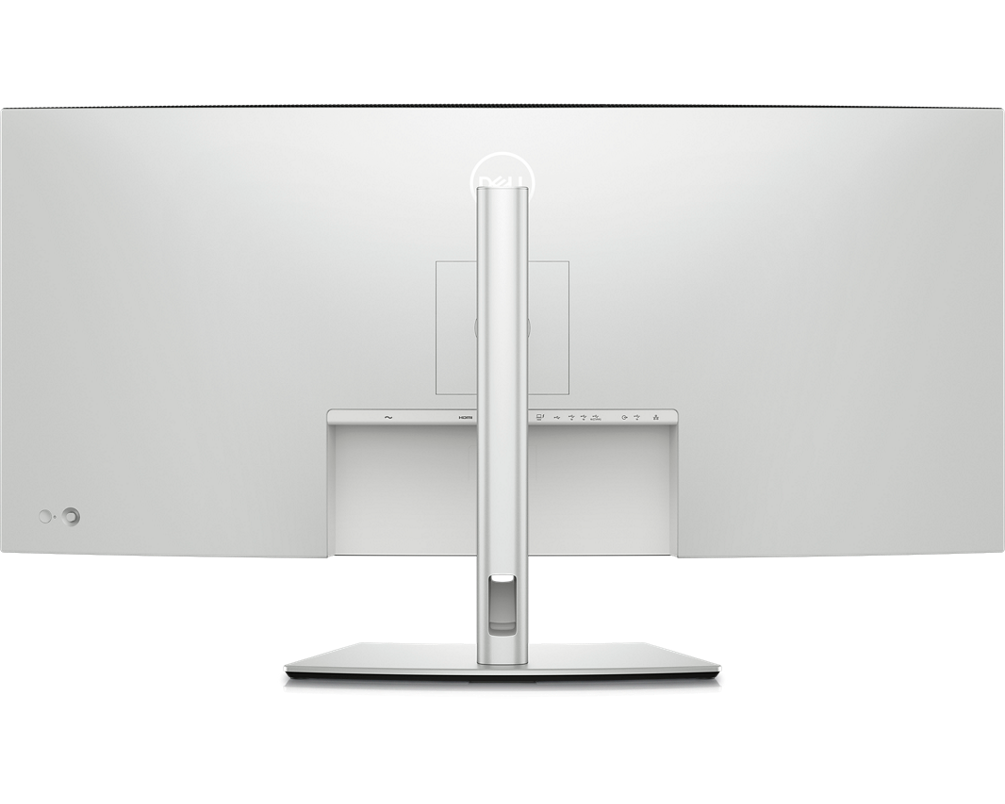
Ports & Slots
- Security lock slot (based on Kensington Security Slot™)
2. Power connector
3. HDMI 2.1
4. DisplayPort 1.4
5. Thunderbolt™ 4 downstream port (15W) for daisy chaining
6. Thunderbolt™ 4 upstream port (Extended Power Range 140W)7. USB Type-C upstream port (SuperSpeed USB 10 Gbps, USB 3.2 Gen 2)
8. 3x USB Type-A downstream port (SuperSpeed USB 10 Gbps, USB 3.2 Gen
9. Audio Line-out
10. USB Type-A downstream port (SuperSpeed 10 Gbps, USB 3.2 Gen 2)11. RJ45 port
12. Stand lock
13. 2 x USB Type-C downstream port (SuperSpeed USB 10 Gbps, USB 3.2 Gen2) with power charging (15W)
14. USB Type-A downstream port (SuperSpeed USB 10 Gbps, USB 3.2 Gen 2) with BC1.2 power charging
15. SpeakersIncluded Cables
1. Power cable
2. DisplayPort 1.4 cable - 1.8 m
3. USB Type-A to USB Type-C Gen 2 cable - 1 m
4. Thunderbolt™ 4 active cable - 1.5 m
5. HDMI 2.1 cable - 1.8 m
Smoother visual experience
Ambient Light Sensor
Improved ComfortView Plus
See more detail than ever before
-
5K
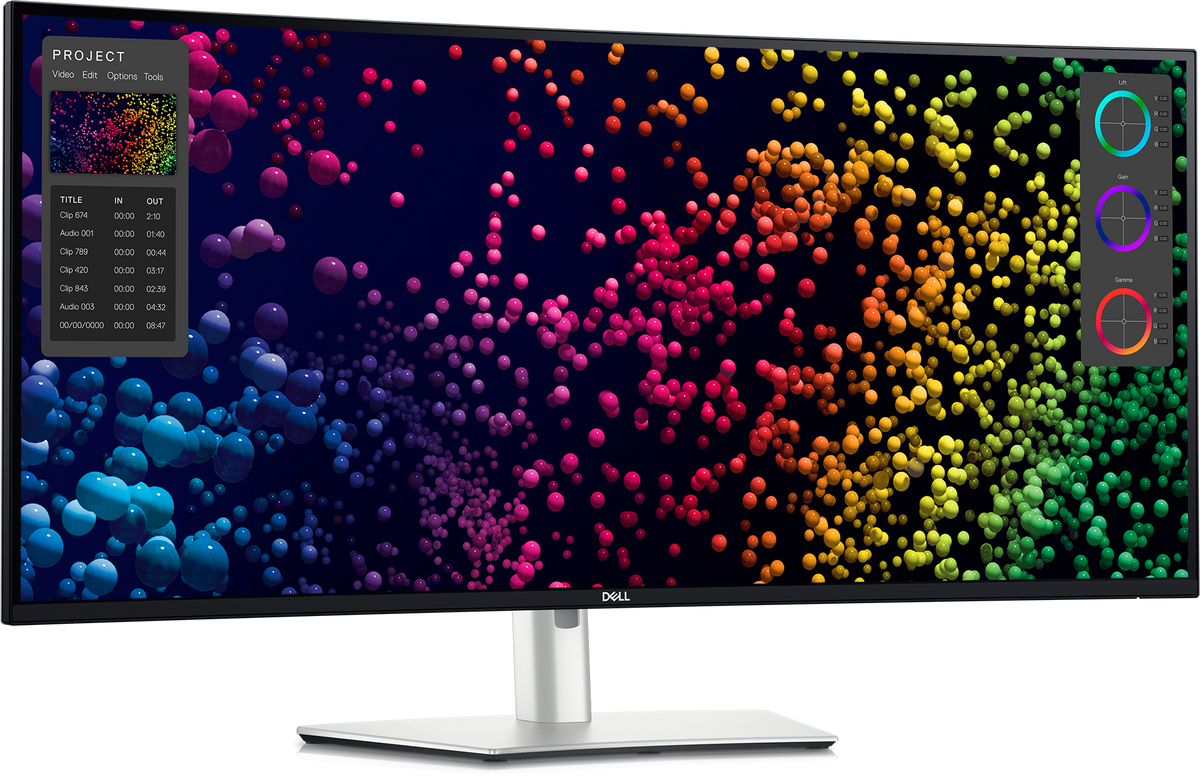
See every detail with complete clarity on a 5K resolution monitor. -
99%
DCI-P3 and Display P3 colour coverage. -
IPS Black
Experience deeper blacks with a 2000:1 contrast ratio.
Internal Multi-Stream Transport (iMST)
Connect with ease
Thunderbolt™ 4
Extensive connectivity
Stay online
Works seamlessly with devices on macOS®*
*Based on internal testing of Dell monitors connected to devices on macOS via Thunderbolt, June 2024. Some features may not be supported.
Dell Display Manager
Multitasking
Organise your screen with Easy Arrange and save profiles with Easy Arrange Memory.
Network KVM
Control and work across multiple network connected PCs and monitors with a single keyboard and mouse, and easily transfer files between them.[3]
Customisation
Quickly access your favorite features and functions with the menu launcher and hot keys.
Manageability
Manage your fleet of monitors with remote management features that are automatic, comprehensive and compatible with several tools.[4]
Dell Colour Management
Customisable colours
Tailored to you
Wide compatibility
Environmentally-forward thinking
Energy conservation
Using PowerNap mode in Dell Display Manager lowers energy use by up to 14.8%.[8]
Packaging innovation
Ships in a box made with 100% renewable content that is also recyclable.[9]
Elevated standards
Meets highest environmental standards and registered EPEAT Gold with Climate+ designation - this monitor has met industry best practices for decarbonization.[10]
Connectivity Options
Ports & Slots
2. Power connector
3. HDMI 2.1
4. DisplayPort 1.4
5. Thunderbolt™ 4 downstream port (15W) for daisy chaining
6. Thunderbolt™ 4 upstream port (up to 140W EPR [11])
8. 3x USB Type-A downstream port (SuperSpeed USB 10 Gbps, USB 3.2 Gen 2)
9. Audio Line-out
10. USB Type-A downstream port (SuperSpeed 10 Gbps, USB 3.2 Gen 2)
12. Stand lock
13. 2 x USB Type-C downstream port (SuperSpeed USB 10 Gbps, USB 3.2 Gen2) with power charging (15W)
14. USB Type-A downstream port (SuperSpeed USB 10 Gbps, USB 3.2 Gen 2) with BC1.2 power charging
15. Speakers
1. Power cable
2. DisplayPort 1.4 cable - 1.8 m
3. USB Type-A to USB Type-C Gen 2 cable - 1 m
4. Thunderbolt™ 4 active cable - 1.5 m
5. HDMI 2.1 cable - 1.8 m
Tech Specs
- 1 x HDMI (supports up to 5K2K 5120 x 2160 120Hz FRL, HDR Static Metadata, VRR as per specified in HDMI 2.1.)
- 1 x DP 1.4 (HDCP 2.3) (Support up to 5120 x 2160 120Hz, HDR, DSC)
- 1 x ThunderboltTM 4 downstream port (15 W) for daisy chaining (Video + Data)
- 1 x ThunderboltTM 4 (Up to 140W EPR) (Alternate mode with DisplayPort 1.4, SuperSpeed USB 3.2 Gen2 (10 Gbps) upstream port, USB Power Delivery up to 140W EPR)
- 1 x USB Type-C® upstream port (data only) (SuperSpeed USB 10 Gbps, USB 3.2 Gen2)
- 4 x USB Type-A downstream port (SuperSpeed USB 10 Gbps, USB 3.2 Gen2)
- 1 x Audio line-out
- 1 x RJ45 (2.5GbE)
- Quick Access:
- 1 x USB Type-A downstream port (SuperSpeed USB 10 Gbps, USB 3.2 Gen2) with BC1.2 power charging
- 2 x USB Type-C® downstream port (SuperSpeed USB 10 Gbps, USB 3.2 Gen2) with power charging (15W)
600 cd/m2 (HDR Peak)
5 ms (Fast mode)
Anti-theft stand lock slot (to lock stand to monitor using screw)
EPEAT registered where applicable. EPEAT registration varies by country. See https://www.epeat.net for registration status by country.
TCO Certified & TCO Certified Edge.
RoHS Compliant.
BFR/PVC Free monitor (excluding external cables).
Meets NFPA 99 leakage current requirements.
Arsenic-Free glass and Mercury-Free for the panel only
Non-operating: –20°C to 60°C (–4°F to 140°F) - Storage and Shipping
Non-Operating: 5% to 90% (non-condensing) - Storage and Shipping
Non-Operating: 12192 (40000 ft) max
0.4 W (Standby Mode)
1.8 W (Networked standby Mode)
39.5 W (On Mode)
380 W (Max)
45 W (Pon)
153.6 kWh (TEC)
Stand Riser
Stand Base
Quick setup guide
Safety, Environmental and Regulatory Information
Factory calibration report
- 1 x Power cable
- 1 x DisplayPort 1.4 cable - 1.8 m
- 1 x USB Type-A to USB Type-C Gen 2 cable - 1 m
- 1 x HDMI cable - 1.8m
- 1 x ThunderboltTM 4 active cable - 1.5 m
Share